You take a photo on your phone and later see it on your tablet. You edit a document on your laptop, then open the updated version somewhere else. If a device is lost, some of your files may still be available online. These conveniences are possible because of cloud storage.
Despite the name, cloud storage isn’t in the sky: files are held on computers in data centres and accessed over the internet. The useful question isn’t just how the technology works, but which files are safely backed up, what happens when you delete something, and who can access your information.
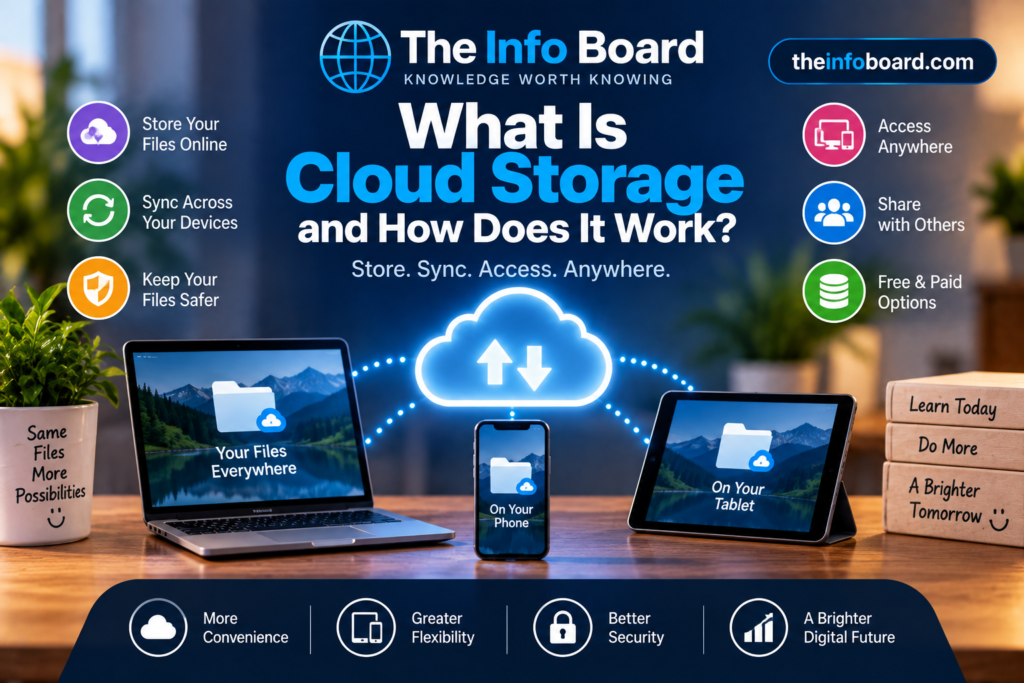
What Is Cloud Storage?
Cloud storage means keeping files on remote computer systems operated by a service provider, rather than relying only on the storage inside your phone, tablet or laptop. You can upload photos, documents, videos and other files, then access them through an app or website when signed into the right account.
Examples include Google Drive, Microsoft OneDrive, Apple iCloud and Dropbox. Each service has different features, storage limits, sharing controls and recovery rules. Cloud storage is not the same as cloud computing in general: online email, streaming and web applications also depend on remote infrastructure, but they aren’t necessarily file-storage services.
How Does Cloud Storage Work? Five Simple Steps
- You select or create a file. For example, you take a photo or save a document.
- Your device uploads data. The app sends the file over your network connection, normally using an encrypted connection.
- The provider stores it. Data is written to storage equipment in one or more data centres, according to that service’s design.
- Your account keeps track of it. The service associates files, versions and sharing permissions with your account.
- You retrieve or sync it later. Another authorised device can download or display the stored file.
Large providers commonly use redundant hardware, so one disk failing does not necessarily make a file disappear. But redundancy protects against certain hardware failures; it does not guarantee protection from accidental deletion, account compromise or every service outage.
Cloud Sync vs Cloud Backup: The Difference That Matters
This is the most important distinction for anyone storing family photographs or important documents.
| Feature | Cloud synchronisation (sync) | Cloud backup |
|---|---|---|
| Main purpose | Keep files and changes consistent across devices | Preserve recoverable copies if the original is lost or damaged |
| If you edit a file | Changes normally appear on connected devices | Older versions may be retained, depending on the backup settings |
| If you delete a file | Deletion may be repeated across devices | A separate backed-up copy may remain available |
| Best for | Working across a phone, tablet and computer | Recovering from mistakes, failures or lost devices |
Real example: With Apple’s iCloud Photos, deleting a photo on one synchronised device also deletes it from the other devices using that library. Apple says deleted items can normally be restored from Recently Deleted for 30 days, subject to the service’s conditions. That is a recovery feature, but it isn’t a substitute for keeping a separate backup of irreplaceable photos. Source: Apple Support — iCloud Photos.
Google Drive similarly keeps items moved to the Bin for 30 days before permanent deletion, unless they are removed sooner. Its exact recovery options depend on what happened to the file and the account. Source: Google Drive Help — deleted files.
How Can You Check Whether Your Photos Are Really Backed Up?
Seeing a photo in your phone’s gallery does not prove a cloud copy exists. Try this straightforward check before relying on a service:
- Open the cloud app and check whether uploads or backups have completed.
- Use the provider’s official website or another device to confirm that a recent, non-sensitive test file appears.
- Check whether the service is syncing your gallery or maintaining an independent backup.
- Review its deleted-files folder, version-history options and retention periods.
- Keep another copy of irreplaceable files on separate storage, and test that you can restore it.
Don’t test recovery by deleting your only important photograph. Use a disposable test file so you can safely observe how changes and deletions behave.
What Happens If Your Phone Is Lost or Broken?
If a file was uploaded successfully and you can access your account, it may be possible to retrieve it from another device. But photos still waiting to upload, files stored only locally, and app data excluded from backups may not be recoverable.
Before replacing a device, check what your backup includes: photographs, contacts, messages, documents and app settings can all have different backup arrangements. If your phone is lost or stolen, secure your main account and follow the device manufacturer’s remote-locking guidance where available.
Can You Use Cloud Storage Without the Internet?
Uploading and downloading require a network connection, but many services let you mark certain files for offline access. The app keeps a local copy so you can use it without connectivity. Edits may be uploaded when you reconnect, and simultaneous edits can sometimes create conflicts. Files marked as online-only may not open offline.
Does Cloud Storage Save Space on Your Phone?
Sometimes. Photo services may keep full-resolution originals online and smaller local versions on your device. File-sync apps may offer online-only files. However, the amount of space saved depends on your settings, cached files and what you choose to download.
Important: Do not delete local photos to free space until you understand whether deletion also removes the cloud copy. Check the provider’s storage-optimisation feature rather than guessing.
Is Cloud Storage Secure and Private?
Cloud providers can use encryption, access controls, monitoring and physical data-centre security. But security and privacy are not identical, and the technical protections differ by service.
- Encryption in transit protects information as it moves between your device and the provider.
- Encryption at rest protects stored data, but the provider may manage the keys.
- End-to-end encryption, when specifically offered for the relevant data, can limit the provider’s ability to read protected content. Not every cloud feature uses it.
- Sharing permissions decide who can view or edit items; a public link can expose a file more widely than intended.
Use a unique, strong password and enable two-factor authentication where available. If you receive an unexpected login alert, consult our guide to spotting phishing emails instead of following a suspicious message’s links.
Cloud Storage vs an External Hard Drive
| Question | Cloud storage | External drive |
|---|---|---|
| Access from other locations? | Usually, with an internet connection | Only when you have access to the drive or its host device |
| Ongoing cost? | Free tiers may exist; larger plans often involve subscriptions | Upfront hardware cost, with possible replacement later |
| If your home equipment is damaged? | Remote copies may survive | A drive kept in the same place may also be lost |
| If you delete the original accidentally? | Sync might copy the deletion | An independent, disconnected backup may preserve it |
For important files, using both can be sensible. A common guideline is the 3-2-1 backup approach: aim for three copies, on two types of storage, with one off-site. More important than the exact numbers is having an independent, recoverable copy and occasionally testing it.
How Much Cloud Storage Do You Need?
It depends on your files. Documents usually take little space; photos use more; high-resolution video can consume storage quickly. Instead of buying the largest plan, review your provider’s storage breakdown, remove unwanted files only when you understand the sync behaviour, and check whether existing subscriptions already include storage.
Before starting or cancelling a paid plan, read the provider’s current terms. Some services restrict new uploads when you exceed your allowance; long-term retention and deletion rules vary. Download an independent copy of essential files before closing an account or leaving a service.
Cloud Storage Troubleshooting: What to Check First
| Problem | First check |
|---|---|
| Photos aren’t appearing on another device | Confirm both devices use the same account, syncing is enabled, and uploads have finished |
| Upload seems stuck | Check internet connection, available storage, battery restrictions and app status |
| File has disappeared | Search the account, then check Bin/Recently Deleted, version history and sharing permissions |
| Cloud says storage is full | Inspect the provider’s storage breakdown before deleting anything |
| You cannot sign in | Use the provider’s official account-recovery process, not a link from an unexpected email |
A Simple Cloud Storage Safety Checklist
- Confirm that uploads or backups are actually completing.
- Understand whether a folder is synchronised or separately backed up.
- Keep another recoverable copy of essential files.
- Turn on additional account verification and review recovery options.
- Check who can access shared folders and links.
- Review storage limits, subscription terms and deletion policies.
- Keep your phone and computer updated; see why software updates matter.
Frequently Asked Questions
Where are cloud files physically stored?
On storage equipment in data centres operated by or for the cloud provider. A service may use multiple locations or systems.
Is cloud storage the same as backup?
No. Some services offer both, but synchronising files can also synchronise accidental deletions. A backup should let you recover an earlier or separate copy.
Can cloud storage lose my files?
Yes, although providers design systems to reduce failures. Account problems, deletion, outages and mistakes are among the reasons to keep another copy of irreplaceable data.
Can other people see my files?
It depends on your account security, sharing settings and the provider’s encryption model. Review permissions before sending a link.
What if I stop paying for cloud storage?
Policies vary. Uploads or syncing may become restricted, and long-term retention depends on the provider’s terms. Check those terms and save independent copies before cancelling.
The Bottom Line
Cloud storage makes it easier to reach files from different devices and can protect against some kinds of local device failure. But it is not automatically a private vault or an independent backup. Know what is synced, confirm what is backed up, protect your account and keep a separate copy of anything you cannot afford to lose.