Could you tell whether a phone call from a family member was real if their voice had been copied by artificial intelligence? Or whether a video of a celebrity recommending an investment was genuine?
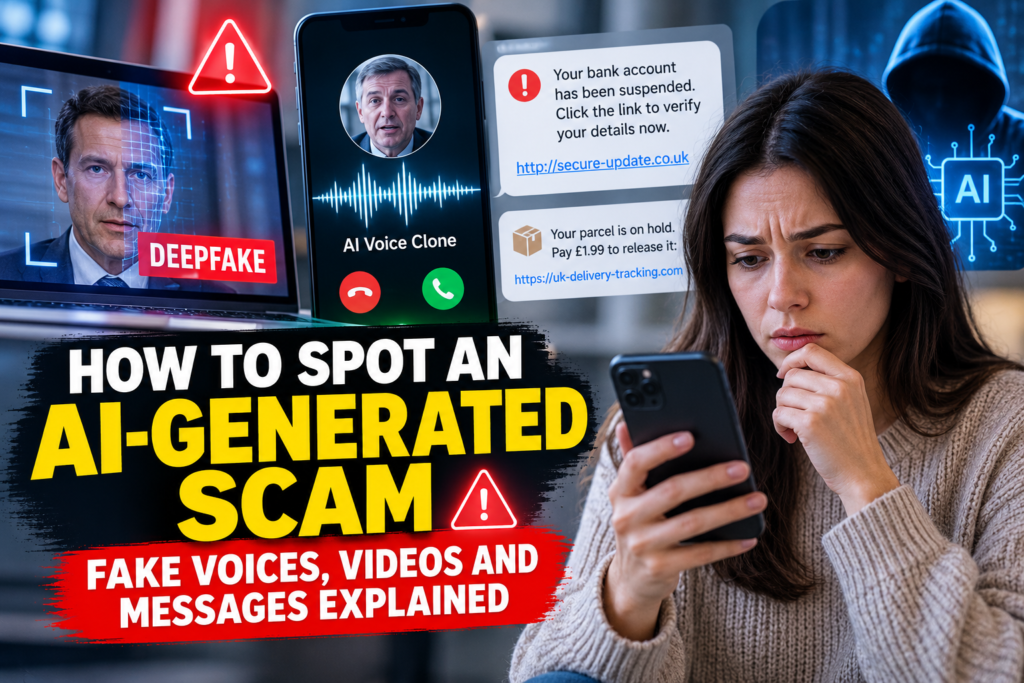
AI tools can now generate convincing speech, images, written messages and videos. Scammers may use them to impersonate people you trust, invent emergencies or promote fraudulent offers. But there is an important distinction: you do not have to prove something was AI-generated to protect yourself. The safest response is to verify unexpected requests using a separate, trusted channel.
This UK-focused guide explains common AI-enabled scams, the warning signs that matter, and the practical steps to take before sending money, sharing a code or clicking a link.
What is an AI-generated scam?
An AI-generated scam is a dishonest attempt to obtain money, account access or personal details that uses artificial intelligence to create or adapt some part of the deception. The AI might generate a believable voice, an image of a person, a realistic-looking message or an altered video.
Many scams do not involve sophisticated AI at all. Criminals can also use ordinary editing tools, stolen photographs and fake caller IDs. What matters most is the fraudulent request, not the technology behind it.
The UK’s National Cyber Security Centre (NCSC) phishing guidance covers how to recognise and report suspicious messages, calls and websites.
Five types of AI-enabled scams to know about
1. Voice-cloning calls pretending to be family
A caller appears to sound like your child, partner or other relative. They claim to have lost their phone, been arrested or suffered an emergency and ask you to transfer money immediately. A short recording of someone’s voice may help a criminal produce synthetic speech, although scammers can also impersonate relatives without cloning their voices.
What to do: end the call and ring the person using the number you already have saved. If you cannot reach them, try another trusted relative. Do not use a replacement number provided by the caller.
2. Fake celebrity investment videos
A social media advert shows a celebrity or financial expert apparently recommending an investment, cryptocurrency platform or trading app. The footage may have been edited, combined with a synthetic voice or generated to suggest an endorsement that never happened.
What to do: do not treat celebrity footage or testimonials as evidence that an investment is legitimate. Check any financial firm using the Financial Conduct Authority (FCA) Register and consult the FCA’s ScamSmart guidance. Be especially suspicious of guaranteed returns or pressure to invest immediately.
3. AI-written phishing emails and messages
Fraudulent messages may now be fluent, personalised and free from spelling mistakes. They may imitate a delivery company, bank, employer or government department. Scammers may incorporate details taken from social media to make the story appear credible.
What to do: open the organisation’s official app or enter its known website address yourself. Avoid links in unexpected messages. Read our existing guide on spotting phishing emails.
4. Fake video calls or impersonated managers
A message or video call may appear to come from a colleague or senior manager requesting an urgent payment, confidential document or change to bank details. Even when the face and voice seem familiar, the request should be independently verified using established workplace procedures.
What to do: call back through a number in your company directory or speak to the person directly. Treat sudden changes in payment instructions as high risk.
5. Fake profiles and romance or friendship scams
An apparently convincing profile may use AI-generated images and natural-sounding conversations to build trust. Over time, the person may request money, gift cards, cryptocurrency or private information. A convincing photograph or long conversation does not prove a person’s identity.
What to do: be wary of repeated excuses for avoiding real-world verification, pressure to keep the relationship secret and requests for financial help from someone you have never reliably verified.
Warning signs: what actually matters?
Some altered videos contain strange blinking, mismatched lips, distorted hands or inconsistent lighting. However, those clues are unreliable: genuine videos can have technical glitches, and convincing fakes may show none. Do not use a visual ‘deepfake checklist’ as your only defence.
| Warning sign | Why it matters | Safer response |
|---|---|---|
| Urgent demand for money | Creates pressure before you can check | Stop, independently contact the person or organisation |
| Request for a one-time passcode | Could enable account takeover | Never share the code with an unexpected caller |
| New bank details or payment method | May redirect funds to a criminal | Verify using a known phone number |
| Secrecy or emotional pressure | Discourages independent checking | Ask someone you trust before acting |
| Celebrity endorsement or spectacular profits | Videos and testimonials can be manipulated | Check FCA warnings and authorisation independently |
| Unexpected link or attachment | May lead to phishing or malware | Use the organisation’s official app or website |
Can you reliably tell whether a voice or video is fake?
Not always. Synthetic media is improving, and compression, poor lighting or a weak internet connection can make real recordings look suspicious. There is also no simple universal consumer test that reliably identifies every AI-generated voice or video.
Reverse-image searching a photograph, checking an account’s posting history or looking for corroboration from reputable sources can help, but none is conclusive. A stolen genuine photograph can be used in a scam, just as an AI-generated image can.
The stronger test is behavioural: does someone want money, credentials, sensitive information or an urgent change of plans? If so, stop and verify through a trustworthy route independent of the message.
The 60-second verification routine
- Stop: do not send money, reveal codes or click links during a surprise request.
- Break contact: end the call, close the message or leave the video meeting if necessary.
- Find a trusted contact route: use an already-saved family number, official banking app, known employer directory or verified website.
- Verify the specific claim: ask whether the emergency, payment request or change of details is real.
- Get a second opinion: if you still feel pressured or unsure, talk to a trusted person before acting.
For families, you could agree on a private verification question or family phrase in advance. Avoid publishing it online; remember that a single shared phrase can be compromised, so calling back on a known number remains the stronger step.
Example: the ‘Mum, I need money’ phone call
Imagine receiving a call that sounds like your adult child. The caller says they have had an accident and urgently need £800 sent to a new bank account. The voice sounds convincing and the caller is upset.
You do not need to decide whether the voice was cloned. Instead, explain that you will call back, hang up and ring your child’s normal mobile number. If they do not answer, contact someone who may be with them. An authentic emergency can still be checked; a criminal’s script often relies on stopping you from doing so.
What if the scam comes from a real contact’s account?
Sometimes criminals gain access to someone’s actual social media or messaging account. A message from a familiar profile is therefore not proof that its owner sent it.
If a friend suddenly asks you to transfer funds, purchase vouchers or share a login code, contact them through a separate channel. If their account has been compromised, encourage them to change its password, sign out of unknown sessions and enable two-step verification. See our guide: What Is Two-Factor Authentication?
How to protect older relatives and younger family members
Scams can affect anyone. A practical family conversation works better than assuming one age group is automatically easy to deceive.
- Agree that no one should feel embarrassed about checking a surprising call or message.
- Save important contact numbers and explain how to call them independently.
- Discuss the warning signs of urgency, secrecy, one-time codes and requests for money.
- Use two-step verification on important email and social accounts.
- Review public social-media details that could make impersonation more personalised.
- Explain that even a convincing voice or video may not prove identity.
The National Crime Agency’s fraud guidance recommends contacting organisations using known details rather than information supplied in suspicious messages.
What to do if you have already sent money or shared information
Act promptly. Contact your bank or payment provider through its official app, website or the number on your card. Explain what happened, ask it to protect your account and discuss possible recovery options. You can also use Stop! Think Fraud for prevention and recovery guidance.
If you shared a password, change it immediately on the legitimate website or app, then update any other accounts using the same password. Enable two-step verification and check for suspicious account activity. If you installed unknown software, follow NCSC recovery guidance.
If a criminal knows personal information about you, keep an eye out for further impersonation attempts. Save relevant messages, screenshots, payment references and dates, but avoid communicating further with the suspected scammer.
How to report AI-related scams in the UK
| Situation | Where to report or seek help |
|---|---|
| Suspicious email | Forward it to report@phishing.gov.uk (NCSC) |
| Suspicious text message | Forward it to 7726, free on participating UK networks |
| Suspicious call | Report via your network’s 7726 process; the UK government’s fraud campaign explains how |
| Fraud or lost money in England, Wales or Northern Ireland | Report Fraud; also contact your bank immediately |
| Fraud in Scotland | Report to Police Scotland and contact your bank |
| Immediate threat or danger | Call 999 |
The official GOV.UK reporting guide lists routes for reporting suspicious messages and fraud. Report even if you did not lose money: information can help providers and authorities identify abusive activity.
Frequently asked questions
Can AI really copy someone’s voice?
AI systems can generate speech resembling a person, depending on the system and available samples. But a convincing voice alone cannot establish the speaker’s identity. Verify an unexpected request independently.
Are deepfake videos always easy to spot?
No. Some contain visible errors, while others may look convincing. Technical clues are less reliable than checking the underlying claims and contacting genuine sources.
Could a scam email have perfect spelling?
Yes. Fluent writing does not prove a message is authentic. Check the sender’s request, destination links and whether the communication was expected.
How do I verify an emergency call from a relative?
End the call and contact your relative using a previously saved number or another trusted route. Do not transfer money solely on the strength of the voice you hear.
Should I use an AI deepfake detector app?
Detection tools may offer clues but cannot be relied on as a universal guarantee. Use independent verification for financial or personal requests regardless of a detector’s result.
Where can I report a fake investment advert?
Report it to the platform hosting it and consult the FCA’s ScamSmart resources. If you’ve lost money, immediately contact your payment provider and report the fraud using the relevant UK service.
The bottom line
AI can make fraud attempts more persuasive, but most scams still depend on familiar tactics: urgency, impersonation, secrecy and requests for money or information. The most effective everyday defence is to pause and verify through a separate channel you already trust.
A familiar voice, convincing video or well-written message should never be the only evidence behind a financial decision. Keep this principle in mind, discuss it with family members, and report suspicious activity through official UK channels.
Sources and further reading: NCSC — Phishing scams; GOV.UK — Reporting suspicious communications; Stop! Think Fraud — Reporting fraud; FCA ScamSmart. Information checked October 2026.
Leave a Comment