Fake websites can look remarkably convincing. A copied logo, professional product photographs and a familiar checkout page are no longer reliable proof that a business is genuine. Criminals create imitation login pages, fake shops and fraudulent payment pages to steal passwords, personal information and money.
The safest approach is to make a few checks before you log in, download anything or pay. This guide explains how to inspect an unfamiliar website, recognise misleading addresses and respond if you have already shared sensitive information.
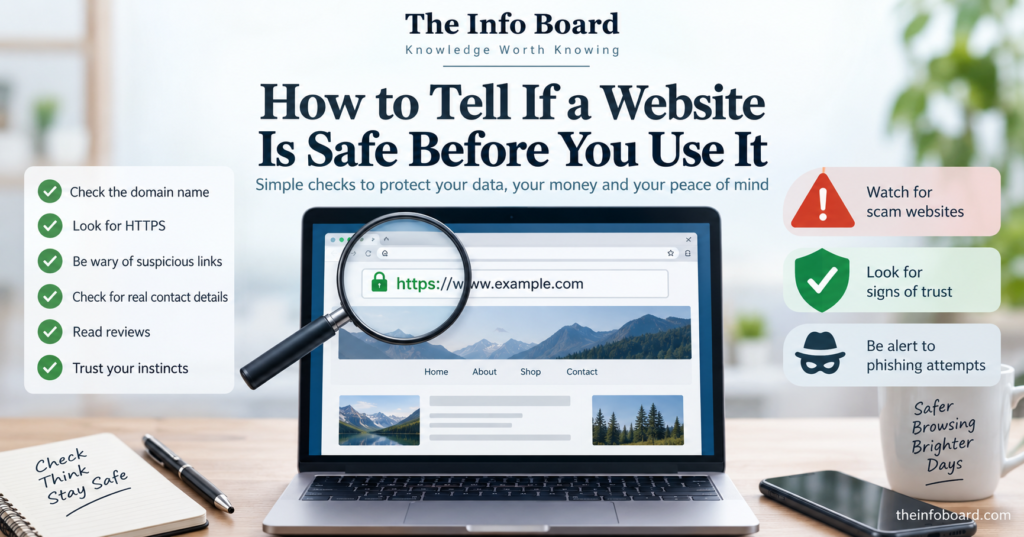
1. Check the website’s actual domain name
The domain name is one of the most useful clues, especially on a sign-in or payment page. Scammers can put a familiar company name at the beginning of an address while sending you to a completely different domain.
Consider two fictional examples:
https://accounts.examplebank.co.uk/login— this is a subdomain ofexamplebank.co.uk.https://examplebank.co.uk.security-check.example/login— this belongs undersecurity-check.example, notexamplebank.co.uk.
These addresses are for demonstration only. The lesson is to inspect the complete hostname and identify the actual domain, rather than trusting familiar words somewhere in the URL. On a phone, tap the address bar to see the full address where possible.
Also watch for misspellings, extra hyphens, swapped letters and names that imitate an established business. If a message asks you to sign in urgently, the safer option is to open the organisation’s official app or type an independently verified address yourself.
2. Understand what HTTPS does — and does not — prove
HTTPS encrypts the connection between your browser and the website, helping protect information in transit. It is important, particularly for logins and payments, but HTTPS is not a certificate of honesty. A scam website can use HTTPS too.
Modern browsers may not display the traditional padlock icon. Look at the address and any connection-security warning rather than relying on a particular symbol. Never enter passwords or payment information on a page that your browser warns is insecure or potentially deceptive.
3. Be suspicious of unexpected links and urgent messages
Phishing messages often claim that a parcel is waiting, a bank account has been locked, a refund is due or you must act immediately. Criminals may send them by email, text, social media message or QR code.
Do not use the contact information or link in a suspicious message to verify the message itself. Visit the organisation’s official website independently, use its app or call a number you already trust.
For a more detailed guide, see how to spot a phishing email before you click.
4. Research an unfamiliar online shop
Before buying from a retailer you have never used, establish whether there is a credible business behind the website. Useful checks include:
- Business identity: Is there a clear company name, contact method and relevant address? Do those details match independent information?
- Reviews beyond the shop itself: Search for the seller’s name alongside words such as “complaints” or “reviews”. Be cautious: reviews can be fabricated.
- Delivery and returns: Are shipping costs, delivery times, returns and refunds explained consistently?
- Prices: Does an unknown seller offer a popular product at an implausibly low price?
- History: Does the business’s claimed experience fit with independent references to its existence?
A missing detail is not, on its own, proof of fraud. However, several warning signs together should make you reconsider the purchase. A glossy design, a sponsored social media advert or dozens of glowing testimonials does not guarantee legitimacy.
5. Examine how the website wants you to pay
An unfamiliar retailer insisting on an immediate bank transfer deserves particular caution. The UK National Cyber Security Centre advises using a credit card for online purchases where appropriate, because qualifying purchases may have statutory protection; debit-card purchases may have access to chargeback, depending on the circumstances.
Card protection depends on eligibility and payment arrangements, so do not assume every transaction is covered. Before paying, confirm the seller and amount, and avoid storing payment details unnecessarily. If the website pressures you to bypass normal checkout or send money to an unrelated account, stop.
Quick website safety checklist
| Check | What to look for | If something is wrong |
|---|---|---|
| Website address | Correct domain, with no misleading extra words | Open the official site independently |
| Connection | HTTPS and no browser security warnings | Do not submit sensitive information |
| Business | Credible company details and independent evidence | Research further or choose another seller |
| Offer | Realistic price and consistent policies | Be cautious of pressure or unbelievable discounts |
| Payment | Recognisable checkout and suitable payment method | Avoid unusual transfer requests |
6. Treat download prompts and browser warnings seriously
A website claiming “your device is infected” or “install this urgent browser update” may be trying to persuade you to install unwanted or malicious software. Obtain updates through your device’s settings, a trusted app store or the software developer’s verified website.
If your browser flags a suspected phishing site, malware or a certificate problem, do not dismiss the warning merely because the page looks professional. Some warnings can have innocent technical causes, but it is safer to stop when dealing with sensitive accounts.
7. Use a password manager and two-factor authentication
A reputable password manager may refuse to autofill a saved password on an imitation website with a different domain. This is a useful clue, though not a foolproof safety test.
Use a unique, strong password for each account and turn on two-factor authentication wherever possible. Remember that criminals can sometimes trick users into revealing verification codes too: never approve an unexpected login request.
What should you do if you have already used a suspicious website?
The right response depends on what happened. Act promptly, and use the genuine service rather than returning to the suspicious page.
| What happened? | What to do next |
|---|---|
| You entered a password | Change it on the legitimate website. Replace it anywhere else you reused it; enable extra login verification. |
| You entered card or bank details | Contact your bank or card provider immediately using official contact details and follow its advice. |
| You paid a fraudulent seller | Contact your payment provider promptly to discuss recovery options and report the fraud. |
| You downloaded suspicious software | Stop opening it, run reputable security checks and follow your device provider’s guidance. If it is a work device, tell your IT team. |
| You approved an unfamiliar login | Secure the account through the official service, review recent activity and revoke unknown sessions where supported. |
How to report a scam website in the UK
Reporting suspicious material can help protect other people. There is an important difference between reporting a suspicious link and reporting a crime after losing money or having an account compromised.
- Suspicious website: use the NCSC’s suspicious website reporting form. Do not visit the link again just to report it.
- Suspicious email: forward it to
report@phishing.gov.uk. - Suspicious text: forward it to
7726, where supported. - Victim of fraud in England, Wales or Northern Ireland: report it through Report Fraud. In Scotland, report it to Police Scotland.
These are the reporting routes described by the UK’s National Cyber Security Centre. If money is at risk, contact your bank immediately rather than waiting to submit a report.
Frequently asked questions
Does the padlock mean a website is legitimate?
No. HTTPS indicates an encrypted connection, not that the operator is honest. Always check the actual domain and business.
Can a fake website look exactly like a real one?
Yes. Criminals can copy branding, layout and product images. Visual appearance alone is an unreliable test.
Are websites advertised on social media safe?
Not necessarily. A paid advert is not proof that a shop is trustworthy. Check the seller independently.
Can I tell whether a website is safe using only its URL?
No. A suspicious domain can reveal obvious problems, but even a plausible URL cannot establish the trustworthiness of a business or transaction.
What if I typed my password into a fake website?
Change the password immediately through the real service, secure any other accounts that used it, enable additional verification and review account activity.
The bottom line
No single sign can guarantee a website is safe. The strongest practical approach is to check the exact address, independently verify an unfamiliar business, treat urgent messages with caution, pay through appropriate channels and stop when your browser displays a security warning.
If you think you’ve been scammed, act quickly: secure your accounts, contact your bank where relevant and use the official reporting channels.
Official sources: NCSC: Shopping and paying safely online; NCSC: If you’ve shared sensitive information; NCSC: Report a scam website.